We Repair All Type Brand Oppo, Vivo, MI, Samsung

Gtech Mobile Repairig Nagra Road bilaunjha Mau, Click This Link And View My All Repairing Videos

All Type Mobile Software Service Available

All types of mobile software is done online or offline. Contact for online service.

Mobile Repairing Hardware Solution

We Provide All Type Mobile Hardware Repairing Solution in Image like Jumper Pic

Gtech Mobile Repairing YT Channel

Here We Post All Type Brand Repairng Videos.Tab This Link And See My all Videos,And Do't Forgate Like, Subcribe

Leptop,Desktop Software solution

All type Windows And driver Available.

Showing posts with label Frp. Show all posts

How to remove frp lock in huawei mate 10 lite : Android 7.0 (rne-l21)

Remove frp lock in huawei mate 10 lite

Best tool for Huawei frp , disable and bypass , remove google account lock with the help of eft box ,frp remove done single click.EFT is best tool for remove frp lock in Huawei phone .today i will going to share that how to remove frp lock using eft dongle

Repairing Level #1
step 1. Power Off mobile phone
step 2. Put Mobile in Fastboot mode by pressing volume down and power button and insert usb cable
How to remove frp huawei mate 10 lite : Android 7.0 (rne-l21)

        
step 3. click android Modle > Select Huawai > First Read info >
step 4. and click FRP RESET (1)
Code -
                   EFT Dongle
Connecting Fastboot .......
Connecting Fastboot .......Ok
Model Phone: RNE-L21
SW: :RNE-L21C185B131
Connecting Server .....
Connecting Server .....Ok
Try again...
Auto Press on reset FRP2...
Model Phone: RNE-L21
SW: :RNE-L21C185B131
Connecting Server .....
Connecting Server .....Ok
Erase Done , The Device Will Reboot And Factory Reset
By EFT Dongle OK

SAMSUNG GALAXY J7 Nxt SM J701F FRP DONE BY MIRCAL BOX

Samsung Galaxy J7 Nxt FRP Done by Miracle Box
Here the frp has been removed in adb mode. So first of all you have to do adb mode on.


1) Connect phone in download mode using vol down + home + power.

2) Connect phone to pc and open odin.

3) Select boot.tar in Cp in odin and start .

4) 
After flash then hard reset phone adb will be on automatic .


Download Samsung Galaxy j7 Nxt SM j701F ADB file

OPEN MIRACLE BOX
Step 1 click Android
Step 2  Now click ADB(extra)
Step 3 Then click Samsung FRP Reset
Step 4 Click Start Button

Download Samsung Galaxy j7 Nxt SM j701 ADB file
Miracle Box Crack2.58 in one click  

ALL MTK FRP RESET BY SPRT TOOL

ALL MTK FRP RESET BY SPRT TOOL


In this tutorial, I am going to share a tool. Which removes the frp of all types MTK CPU in one click.
Now follow my all STEP

HOW TO USE SPRT(Smart Phone Repair Tool Tool) ?

 Disable your Antiviras before install Software


STEP 1 Download SPRT Tool from my website
Step 2  Then you get two folder > 1 SPRT crack tool > 2 Activate key
STEP 3 Open SPRT Crack tool and run sprt loader

STEP 4 Click activate > go back open activate key copy number > and past them 


 Click here to Dawnload 

ALL FRP REMOVE METHOD


ALL FRP REMOVE METHOD


FRP START VERSION 

DOWNGRADE

Downgrade means that if your mobile version 5.1 and FRP is installed in it, then you will have to flash from below version FRP will be removed.

OTG  

In otg mathod you have to download an app to bypass frp. {bypass .apk, Msa frp bypass. apk} This app has to be copied to pen-drive and connect pen-drive to mobile with otg cable. The file manager becomes open as soon as you apply it in mobile. Now the name of pendrive will appear in the file manager, after that go to pendrive and install that app. google account manager opens in which you can create your new account.


SIDE-SYNC

This method is only for Samsung mobiles. A software named sidesync comes for Samsung mobile. Install it in pc and open it by double clicking, leave it open and round circular rotates in it. Now connect the mobile by usb cable and after connecting, the windows will open in your mobile and click on it in internet. Go to serch bar and install frp bypass app by downloading it.

CALLING METHOD

Calling method requires calling on your mobile. First of all, you have to download Samsung frp helper v0.2, Samsung 2016 frp download in your pc. After that out of these two software which you have installed open, you have to select port and click on dial. As you click, you will get a call on your mobile, after clicking on the massage in it, you will open a message box by putting google.com or a name in it and sending a message on .com will tell masses fail. When you click on that google.com, the internet becomes open, by downloading the app, the further posses are the same.

keyboard method

With the keyboard method, frp can be opened from Two Type,

#Method 1 In this, you have to connect your mobile to WiFi or start the internet by inserting a SIM. In the WiFi screen, you will see add network, click in it, enter any name in it and press on that name and after 2 seconds you will see the option of G assist, click on it will open google, type in it internet then bypass app download Do it The forward prosses are the same.


#Method 2 (lyf model) In this, you have to connect your mobile to WiFi or turn on internet by inserting a SIM. On the screen with verifying your account, you will have to click @ Aspe till 2 second.
As soon as you click on @, you will see the symbol of the settings. It has to do google keyboard settings in input option

3 dot will appear in google keyboard settings, click on it. On clicking, you click help & feedback. You have to click on any one word there, as long as it is blue, you have to click on it as soon as it becomes blue. Now to open Google, you have to write the setting in Google search bar, open the setting and reset the factory.

FLASH WITH COMBINATION FILE  

Flash with combination means you will have to download the combination file from Z3X's sell and flash it by taking that Combination file in AP (PDA) in ODIN3 or Z3X. After that Reset FRP has to be given, FRP will be removed.

FLASH WITH USER DATA .TAR FILE

According to the model number from Google, you have to download the userdata.tar file. FRP will be removed by flashing it in AP (PDA) in ODIN3 or Z3X.

FRP TOOL OR BOX


FRP Tool or BOX means that the option of direct FRP Reset comes in the box, you can remove it with one click.

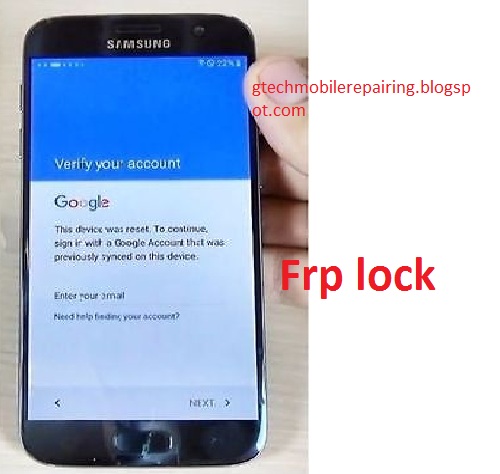
WHAT IS FRP LOCK (Factory Reset Protection)

What is frp lock  ?:- (Factory  Reset Protection) 

Android devices provide built-in security features that you can use to protect your device and information, including screen lock and data encryption. There is a security feature on Android devices with data protection, or Factory Reset Protection (FRP), Lollipop 5.1 and higher. When you set up a Google Account on your device, the FRP is activated automatically. Once FRP is activated, this prevents the use of a device after factory data reset, unless you are already logged in using the Google username and password set on the device.


How to work Frp ? :- 
    • When you perform a factory data reset, all settings are returned to the factory default settings. All data is deleted, including files and downloaded apps.
    • If you have a Google Account set up on the device, then the FRP is active. This means that after reset, you must log in to a Google account using a username and password. If you have many Google accounts set up on the device, you can log in using any account.
    • If an unauthorized person tries to reset the device to some other method, then the device will still need to log in using a Google username and password. This means that if your device is lost or stolen, then no one else will be able to reset it and use it.
    • What do I need to know about FRP?
    • If you want to reset your device to factory defaults, make sure you know your Google Account and password because you will have to log in at the end of the reset.
    • If you want to reset your device to factory defaults, but do not remember your Google username and / or password, you can do one of the following:
    • Check your device's account settings for the name of your account, and reset your password via device or on www.google.com. Password reset can take up to 24 hours with all registered devices. Remove the account before resetting the device.
    • If you have already reset your device but can not remember your Google username and / or password, then the device can not be used. In that case, you can do one of these:
    • If you know your Google username but can not remember the password, you can reset your password on the device or at www.google.com. It may take up to 24 hours for new passwords to sync with all registered devices. After 24 hours, you can try logging in to your phone with a new password.
    • If you have multiple Google accounts, and do not remember which Google account you set up on your device, then visit https://www.google.com/android/devicemanager.
    • Log in with your Google username and password and view the list of devices registered in the account. If you do not see the device listed in the account, it means that the device is registered in another account. Use the same procedure to check the devices associated with your other Google accounts. When you find the registered account, then use it to log in to your device.
    • Even after your device is not Frp Unlock, you can read my next article

SAMSUNG J7 PRIME SM-G 610F FRP UNLOCK Without Flasher box

Samsung J7 Prime SM-G 610F FRP Unlock Without Flasher box

Currently after resetting a device, they come to frp. In which one asks for email and password. This happens because the device is paired with email.
So here we will discuss how to easily remove FRP Samsung J7 Prime SM-G 610F

Just before step-by-step to remove the FRP Samsung J7 Prime SM-G 610F, please dude first tool and 2. Download APK File:


Step1 Make sure the phone is in the process of requesting a Gmail account


Step 2 Connect the phone using USB cable with PC / Laptop. (Must be Samsung driver)Uninstalled if you have not already searched Google, open it, if it is already open (Device Manager and port)


 Step 3  Open the downloaded Samsung FRP tool application.  


Step 4  Now you see the service manager above, that the Samsung device is found on port 7, then fill out the COM7, then click on the scan.
If the port is read, success will succeed! , Then click Open, will be processed like a green one as follows.


Step 5   Then click Call to make an emergency call on the Samsung device, and on the Samsung device it will appear as follows.


Step 6
      Look for the message icon, then click, as follows.


Step 7  Then send an sms to www.google.com, (remember that the cellphone must be connected to the internet with data packets or Wifi). 

 Then click the text text that is located at www.google.com. 
 And if there are no obstacles, you will be directed to Google Search. 
 Then type in Google Search the following url address. 

http://www.samsung.com/en/apps/mobile/galaxyapps/

Step 8 And then click on the red box.


Step 9 And the Samsung App store will open, now then create a Samsung account / login account. 

 Then find and install Explorer File Manager.


Step 10   Now after installing search for the  Samsung FRPBypass.apk file and  Login_6.0.1.pak
Please install the Login_6.0.1.pak file  first and then install  FRPBypass.apk.
After installing FRPBypass.apk, click open and enter login as below. DO NOT LOGIN HERE. click point 3 above.


Step 11 Click the red box.


 Step 12
   Login / create an account here.


Step 13  After completion, restart and congratulations finally overcoming the FRP Samsung J7 Prime SM-G610F without the DONE box. 


Samsung FRP File (exyons&Qulcomm cpu) In One Click

Download Samsung Frp File for Exyons & Qulcomm CPU ;


This file is in zip folder and extract  the FRP file you will get two folders.


This file is for Exynos and QUALCOMM cpu. If the cpu mobile phone has QUALCOMM, select the file QUALCOMM and if you have exyons, select the exyonc file. If you open any of these files, you will get a trap removal file. And a model file which is a MS Word file.


CPU is of exyons. Then open the exyons file. But it will get a model (ms word) file which tells all the upcoming Samsung models that frp is removed when flashing


Open the file of model in ms word and search your phone's model by pressing ctrl + f.


After getting the model number, open the odin tool and take exyons zip file to PDA or AP and click start button 


And connect the phone to the download mode.with usb cable